Smart WhatsApp Links: How to Track Where Your Messages and Leads Come From
WhatsApp has become one of the most important sales and communication channels for small businesses, online stores, courses, clinics, restaurants, and service providers.
A customer sees a post, clicks a WhatsApp link, opens the chat, and asks about a product or service.
But the problem is that most businesses do not know where that message came from.
Did the customer come from Facebook? Instagram? TikTok? An ad? A QR Code? A Bio Page? A printed flyer?
If all channels use the same WhatsApp link, you may receive messages, but you will not know which channel actually brought the leads.
This is why smart and trackable WhatsApp links are useful.
What Are Smart WhatsApp Links?
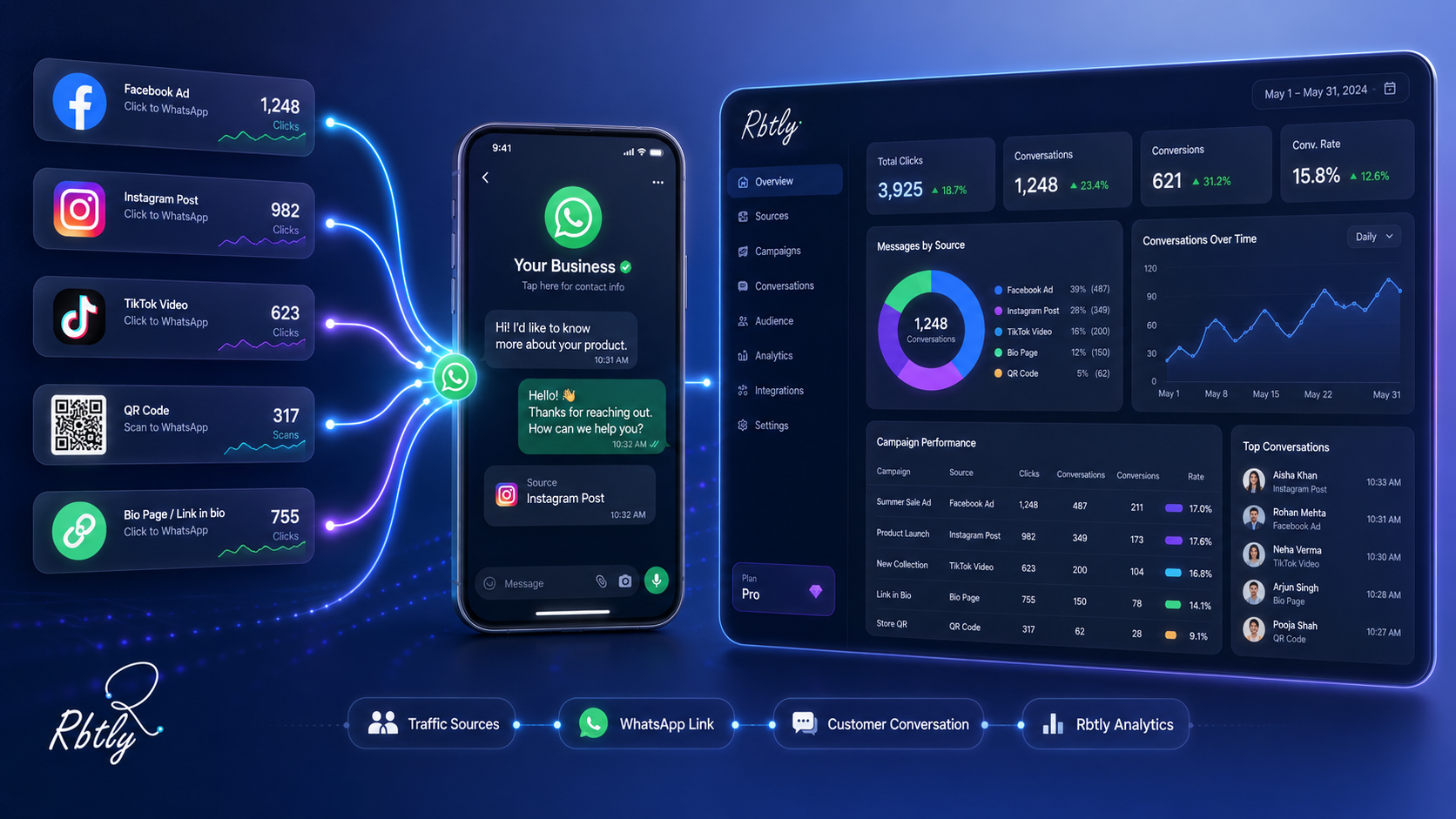
A smart WhatsApp link is a link that sends customers to a WhatsApp conversation, but in a more organized and trackable way, so you can understand where visits and messages are coming from.
Instead of using the same WhatsApp link everywhere, you can create a different link for every platform or campaign.
For example:
- A WhatsApp link for Facebook.
- A WhatsApp link for Instagram.
- A WhatsApp link for TikTok.
- A WhatsApp link for your Bio Page.
- A WhatsApp link for a QR Code.
- A WhatsApp link for a flyer or printed campaign.
All of these links can open the same WhatsApp number, but each link helps you understand the source of clicks and interest.
If you want to understand the idea of measurable links more clearly, read: What Is a Smart Link?.
Why Is a Normal WhatsApp Link Not Enough?
A normal WhatsApp link does its basic job: it opens the conversation.
But in most cases, it does not help you understand where the customer came from.
For example, if you place the same WhatsApp link in:
And by the end of the week you receive 80 messages, you will know that WhatsApp generated conversations, but you will not know which source was strongest.
Did the messages come from Instagram? Was the flyer the reason? Did TikTok bring visits but no messages? Was Facebook the best channel?
Without tracking, decisions remain based on assumptions.
What Can You Measure with Trackable WhatsApp Links?
When you use different WhatsApp links for each platform or campaign, you can track important signals such as:
- How many clicks each WhatsApp link received.
- Which platform brought more clicks.
- Which campaign pushed people to contact you.
- Whether your Bio Page brings real WhatsApp interest.
- Whether a QR Code on a flyer is working.
- Whether Instagram is stronger than Facebook for WhatsApp conversations.
- Whether your current offer encourages people to contact you.
These insights do not only show clicks. They help you understand the customer journey more clearly.
If you want to track social media platforms more broadly, read: How to Track Social Media Campaigns with Different Links for Each Platform.
Practical Example: Same WhatsApp Number, Different Links
Imagine you have a small store that sells products through WhatsApp.
You use the same WhatsApp number, but you publish it in different places:
- A Facebook post.
- An Instagram story.
- A TikTok video.
- A QR Code on a package insert.
- A Bio Page with all business links.
If you use the same WhatsApp link everywhere, you only know that messages came in.
But if you create a different link for each source, you may see something like this:
Source | WhatsApp Link Clicks | What It Means |
|---|---|---|
120 | A good source of interested visits | |
210 | The strongest channel for conversations | |
TikTok | 45 | Needs a clearer CTA |
QR Code | 65 | Packaging or printed cards create post-purchase engagement |
Bio Page | 180 | The page helps direct customers to WhatsApp |
This way, you do not see WhatsApp as one generic channel only. You understand what pushed people to open the conversation.
How to Create Smart WhatsApp Links Step by Step
1. Define the Goal of the WhatsApp Link
Before creating the link, define the goal of the conversation.
Do you want the customer to:
- Ask about a product?
- Book an appointment?
- Request a quote?
- Register for a course?
- Ask for a menu?
- Claim a discount?
- Contact customer support?
When the goal is clear, the message and CTA become clearer too.
2. Write a Ready WhatsApp Message
A WhatsApp link can open the chat with a pre-filled message.
A ready message helps the customer start the conversation easily instead of opening the chat and not knowing what to write.
Examples:
- Hello, I want to know more about the offer.
- Hello, I want to book an appointment.
- Hello, I want to know the price of this product.
- Hello, I want to register for the course.
- Hello, I want to see the menu.
The message should be short and direct.
3. Create a Different Link for Each Channel
Do not use the same WhatsApp link everywhere.
Create separate links by source:
- WhatsApp link for Facebook.
- WhatsApp link for Instagram.
- WhatsApp link for TikTok.
- WhatsApp link for your bio.
- WhatsApp link for the QR Code.
- WhatsApp link for the flyer.
The destination can be the same, but the tracking should be different.
4. Place Each Link in the Right Place
Each link should be placed where it belongs.
Do not use the Instagram link on Facebook, and do not use the flyer link inside your Bio Page, or your data will become confusing.
Clean organization gives you cleaner data.
5. Review Performance Regularly
After publishing the links, review the results.
Ask:
- Which link generated more clicks?
- Which channel brought more WhatsApp interest?
- Is the CTA clear enough?
- Is the ready WhatsApp message suitable?
- Do we need a separate link for each campaign?
- Should we change the position of the WhatsApp button inside the Bio Page?
Reviewing performance helps you improve the next campaign instead of repeating the same mistakes.
Where Can You Use Smart WhatsApp Links?
1. Inside a Bio Page
One of the most important places to add a clear WhatsApp link is inside your Bio Page.
A visitor may enter the page from Instagram, TikTok, or a QR Code, then decide to contact you on WhatsApp.
A clear WhatsApp button inside the page reduces confusion and makes the contact step easier.
If you want to create an organized page for your business, read: How to Create a Professional Bio Page for Your Small Business Without a Full Website.
2. In Instagram Bio
If you rely on Instagram for sales or lead generation, do not use a normal WhatsApp link only.
Use a trackable link so you can understand whether Instagram brings real messages or not.
3. In Facebook Posts
Facebook is useful for offers, local services, communities, and groups.
When you place a WhatsApp link in a post or campaign, it is better to create a separate link for this channel.
4. In TikTok Profile or Caption
TikTok may generate high views, but the important question is: does it generate clicks and messages?
A trackable WhatsApp link helps you understand whether views are turning into real interest.
5. In QR Codes and Printed Materials
You can connect a QR Code to a WhatsApp link and use it on:
- Flyers.
- Business cards.
- Menus.
- Packaging.
- Posters.
- Inside the branch or office.
This allows customers to scan the code and open WhatsApp directly.
If you use QR Codes in offline campaigns, read: How to Use QR Codes in Offline Marketing and Track Results.
How Smart WhatsApp Links Help Small Businesses
A small business owner usually does not have a large analytics team or complex tools.
But they still need to know:
- Where did the customer come from?
- Which platform deserves more effort?
- Do posts or ads generate messages?
- Does the flyer or QR Code work?
- Does the Bio Page help increase conversations?
Smart WhatsApp links make these answers easier.
Instead of saying “I feel Instagram is better,” you can use clearer data to decide.
How Smart WhatsApp Links Help Marketers and Agencies
If you are a social media specialist or an agency, clients usually care about messages and inquiries more than likes.
When you use different WhatsApp links for each platform or campaign, you can provide a stronger report.
The report can show:
- How many clicks came from Facebook to WhatsApp.
- How many clicks came from Instagram to WhatsApp.
- How many clicks came from TikTok to WhatsApp.
- How many scans came from a QR Code to WhatsApp.
- Which channel was better at pushing people to contact the business.
This makes your value clearer because you are not only showing reach and engagement. You are showing actions closer to a potential customer.
Common Mistakes When Using WhatsApp Links in Marketing
1. Using the Same WhatsApp Link Everywhere
This mixes all data together, so you cannot understand the source of messages or clicks.
2. Not Writing a Clear CTA
Do not place the link alone without context.
Use a clear message like:
- Click here to book.
- Ask about the offer on WhatsApp.
- Order now.
- Get the details.
3. Using an Unsuitable Ready Message
If the pre-filled message is too long or too general, it may not help the customer.
Keep the message short and relevant to the campaign.
4. Not Separating Campaigns
Do not use the same link for an offer campaign, registration campaign, and new product campaign.
Every important campaign deserves a separate link.
5. Not Reviewing Results
Tracking a link without reviewing the results is not useful.
Review performance regularly and compare platforms and campaigns.
How Rbtly Helps You Track WhatsApp Links
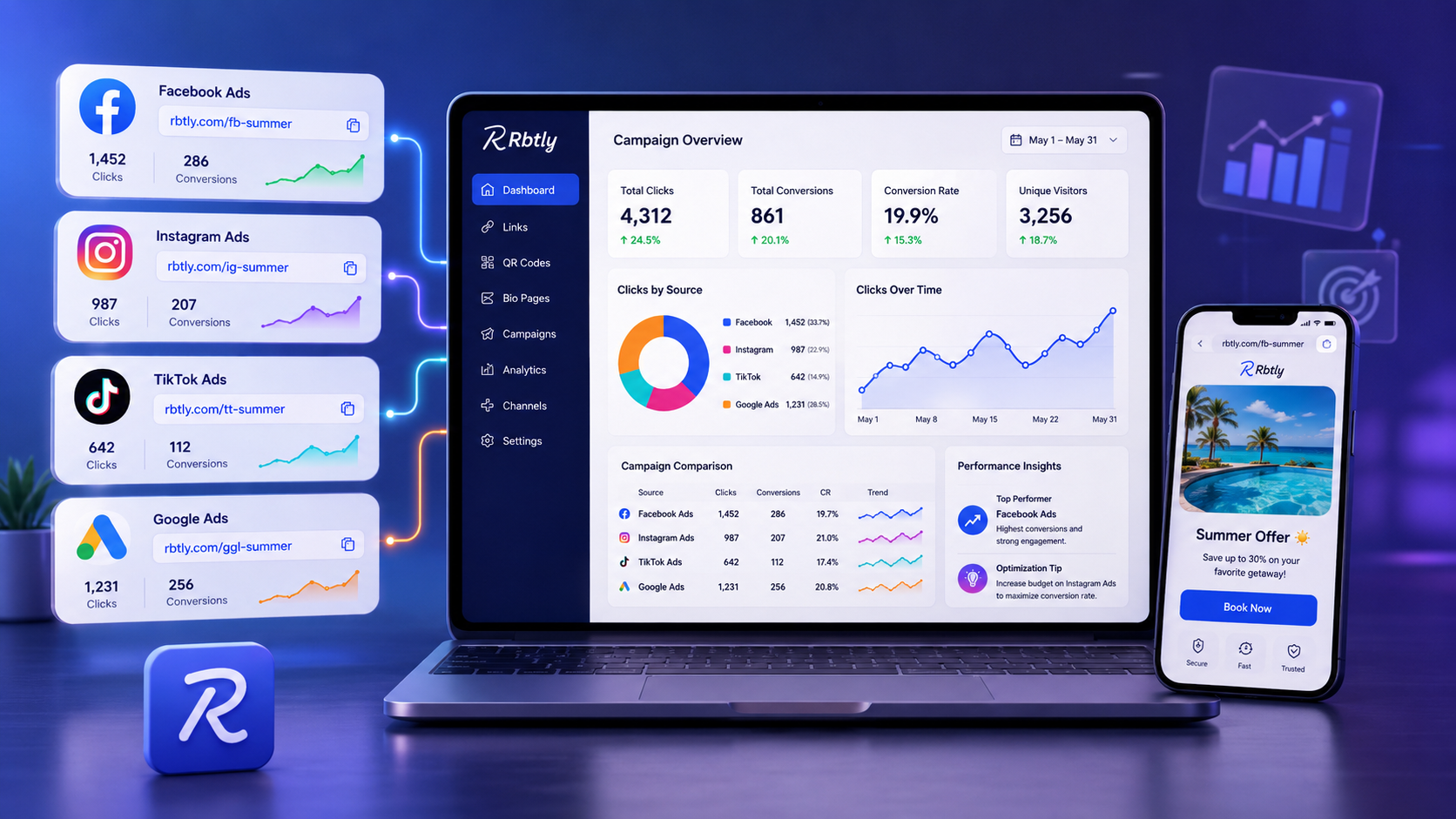
Rbtly helps you create short, smart, and trackable links, so you can use a different WhatsApp link for each platform or campaign.
You can use Rbtly to:
- Create a different WhatsApp link for every channel.
- Track clicks on each link.
- Organize links by campaign or platform.
- Connect WhatsApp with a Bio Page.
- Connect WhatsApp with a QR Code.
- Understand which channel brings more interest.
- Create clearer reports for clients.
The idea is that WhatsApp should not be just a contact button. It can become part of your campaign measurement.
If you are looking for a tool that helps with link shortening and analytics, read: Best URL Shortener with Analytics.
Suggested Articles from Rbtly Blog
- What Is a Smart Link?
- How to Track Social Media Campaigns with Different Links for Each Platform
- How to Create a Professional Bio Page for Your Small Business Without a Full Website
- How to Use QR Codes in Offline Marketing and Track Results
- How to Track QR Code Scans
- Bio Page vs Website
Conclusion
WhatsApp is a powerful channel for sales and communication, but its value becomes clearer when you know where messages come from.
Using different WhatsApp links for each platform or campaign helps you understand:
- Which channel brought more clicks.
- Which campaign pushed people to contact you.
- Whether your Bio Page helps turn visitors into messages.
- Whether your QR Code or flyer generated real interest.
- Where you should focus your next campaign.
A smart WhatsApp link does not only open a chat.
It helps you understand where the customer came from and which channel deserves more focus.
FAQ
What is a smart WhatsApp link?
A smart WhatsApp link is a trackable WhatsApp link that helps you understand the number of clicks and the traffic source instead of using the same link everywhere without clear data.
Why do I need more than one WhatsApp link?
Using a different link for each platform or campaign helps you know whether messages came from Facebook, Instagram, TikTok, QR Code, or Bio Page.
Can I use a WhatsApp link inside a Bio Page?
Yes. It is recommended to place a clear WhatsApp button inside your Bio Page because it helps visitors contact you quickly after viewing your products, services, or offers.
Can a QR Code open WhatsApp?
Yes. A QR Code can open a WhatsApp link directly, and it can be used on flyers, business cards, menus, packaging, or inside your location.
Is WhatsApp link tracking useful for small businesses?
Yes. It helps small business owners understand where messages came from and which platform or campaign deserves more focus.
How does Rbtly help track WhatsApp links?
Rbtly helps you create different WhatsApp links for each platform or campaign, track clicks, organize links, and connect them with a Bio Page or QR Code.