Best Link in Bio Tool for Small Businesses: How to Choose the Right One
If you run a small business and depend on Instagram, Facebook, TikTok, or WhatsApp, you probably need more than one link in your bio.
Your customer does not want to search everywhere.
They want to know quickly:
- What do you offer?
- Where can they see your products or services?
- How can they contact you?
- Where are you located?
- What are your current offers?
- How can they order or book?
This is where a Link in Bio tool becomes useful.
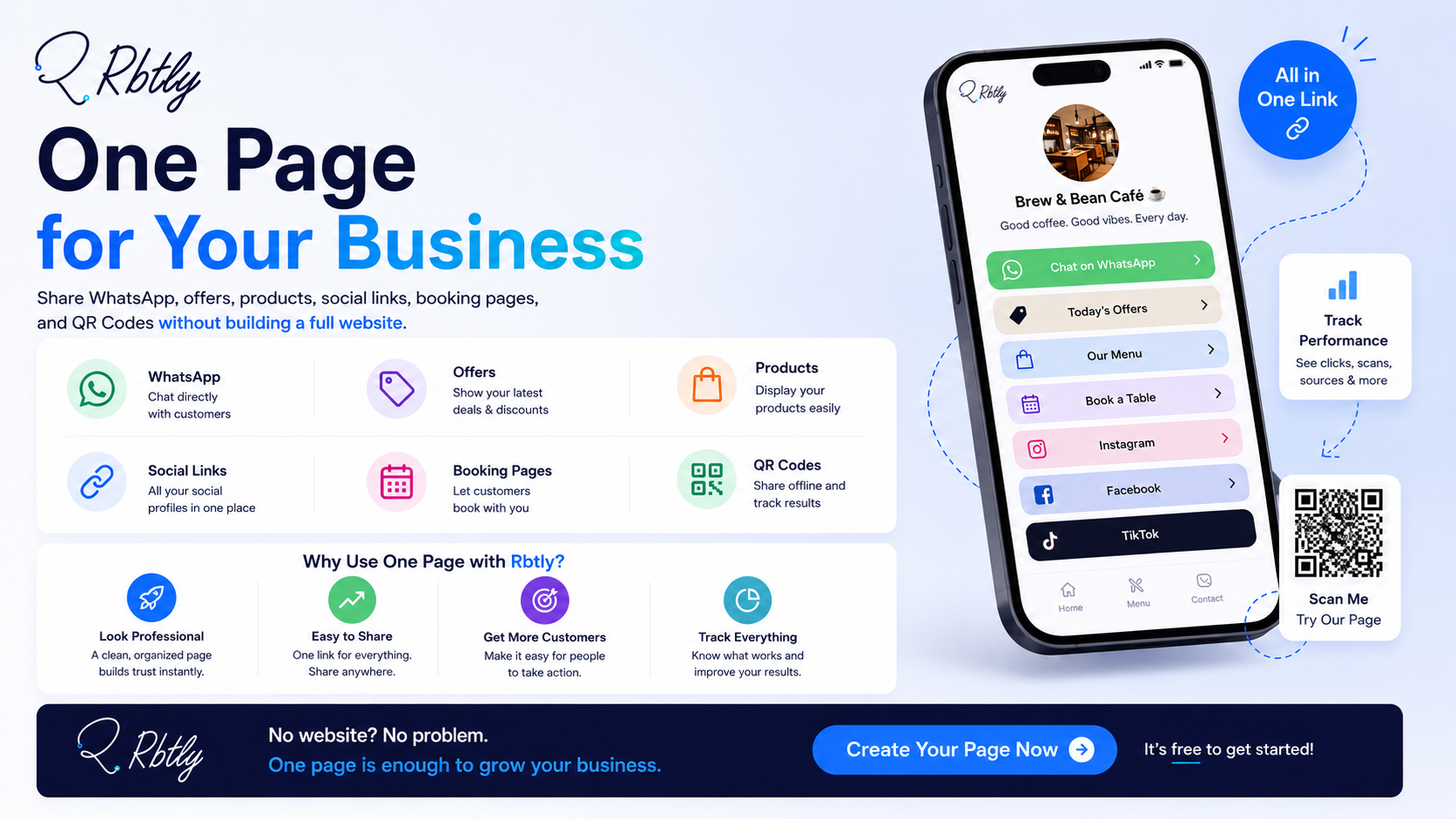
Instead of adding only a WhatsApp link, or sending customers several links every time, you can create one Bio Page that collects all your important business links in one organized place.
But the real question is: how do you choose the best Link in Bio tool for a small business?
The answer is not only about the design of the page.
The best tool should be easy to use, clear, mobile-friendly, editable, and able to help you track what your audience clicks.
Create a simple Bio Page with Rbtly.
What Is a Link in Bio Tool?
A Link in Bio tool helps you create one page that contains your most important links.
You can place this page link in:
- Instagram bio.
- TikTok bio.
- Facebook page.
- WhatsApp messages.
- QR Code on a business card or flyer.
- Email signature.
- Social media campaigns.
Instead of placing only one link, or sending many links in a messy way, you use one page that brings everything together.
For example, a small business Bio Page can include:
- WhatsApp button.
- Products.
- Offers.
- Location.
- Instagram.
- Facebook.
- Customer reviews.
- Booking page.
- QR Code for the page.
This way, the customer can reach everything from one link.
Why Do Small Businesses Need a Link in Bio Tool?
Many small businesses do not have a full website at the beginning.
At the same time, relying only on a WhatsApp link or an Instagram profile is often not enough.
A small business needs a simple organized page that helps customers understand the offer and take action quickly.
1. Your Links Are Often Scattered
Many business owners send customers too many separate links:
- WhatsApp link.
- Product link.
- Price list.
- Location.
- Facebook.
- Instagram.
- Payment or booking link.
This can confuse the customer.
A Link in Bio page puts all these links in one place.
2. It Makes Your Business Look More Professional
Even if you do not have a full website, an organized Bio Page can make your business look clearer and more professional.
Instead of asking the customer to message you for every detail, you can give them one page that includes the most important information.
3. It Works Well with Social Media
Instagram and TikTok usually allow you to place one main link in your bio.
If you only add a WhatsApp link, you miss the chance to show more information about your business.
But if you add a Bio Page, that one link can open everything important.
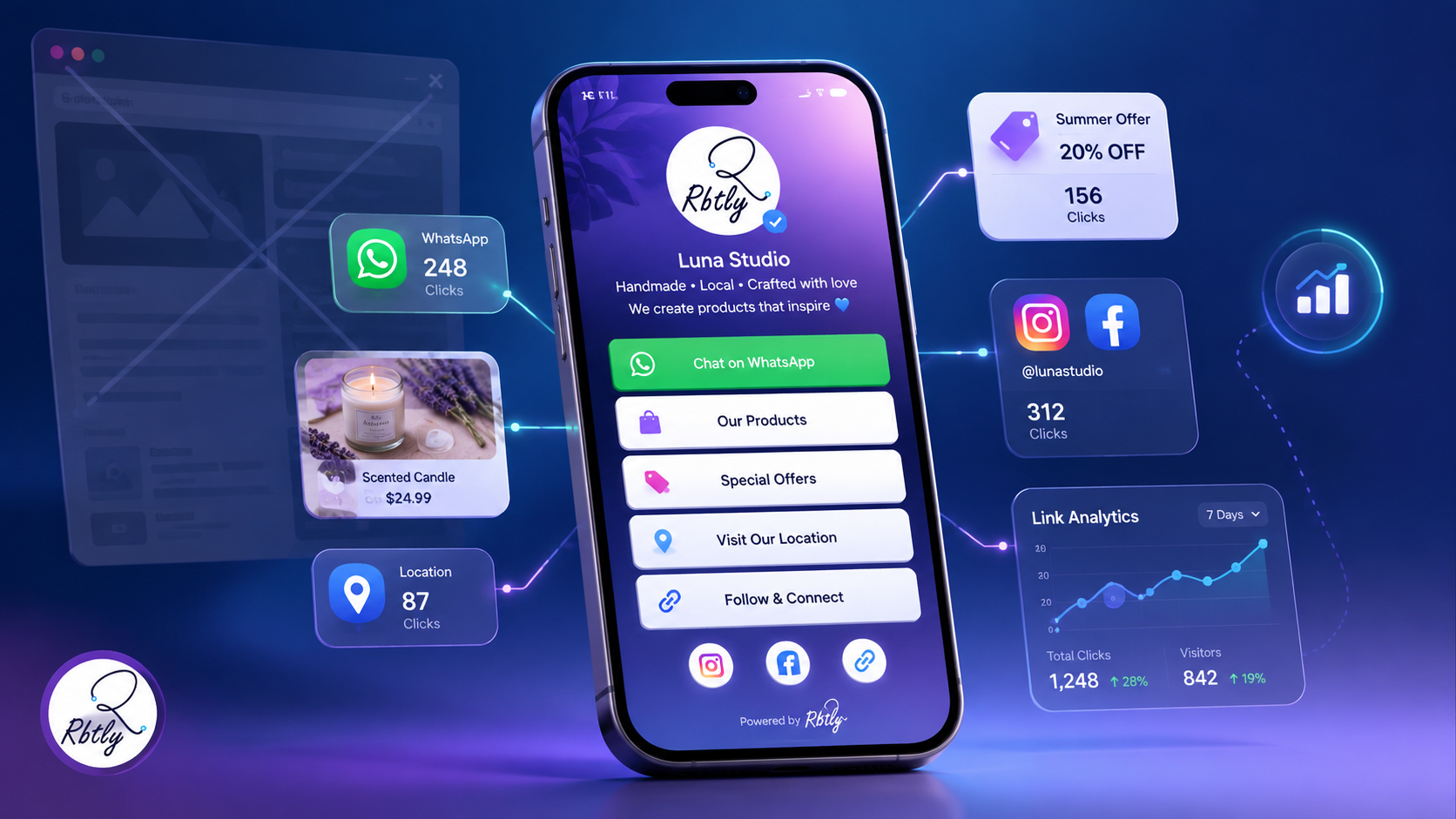
4. It Helps You Measure Interest
The best Link in Bio tool does not only collect links. It also helps you understand what people click.
Did people click WhatsApp?
Did they view your products?
Did they open your offer?
Did they click the location?
Did your QR Code bring visits?
These insights help you improve the order of your links, your offers, and your customer journey.
Create a simple Bio Page with Rbtly.
What Should You Look for in the Best Link in Bio Tool?
1. Easy Setup
A good tool should help you create your page quickly without complexity.
A small business does not need a complicated system. It needs a clear page that can be created and edited easily.
2. Mobile-Friendly Design
Most people will open your Bio Page from their phones.
So the page should be:
- Fast.
- Clear.
- Easy to read.
- Simple to navigate.
- Clean and not crowded.
- Designed for mobile screens.
If the page is not comfortable on mobile, customers may leave without taking action.
3. Different Link Types
The best Link in Bio tool should allow you to add different types of links, such as:
- WhatsApp.
- Instagram.
- Facebook.
- TikTok.
- Google Maps.
- Product page.
- Booking page.
- Payment link.
- PDF file.
- Special offer.
- Video or catalog.
Every business has different needs, so the page should be flexible.
4. QR Code Support
A QR Code for your Bio Page is very useful for small businesses.
You can place the QR Code on:
- Business cards.
- Flyers.
- Posters.
- Menus.
- Product packaging.
- Inside your store.
- Offer sheets or coupons.
Instead of printing many links, print one QR Code that opens your Bio Page with everything inside.
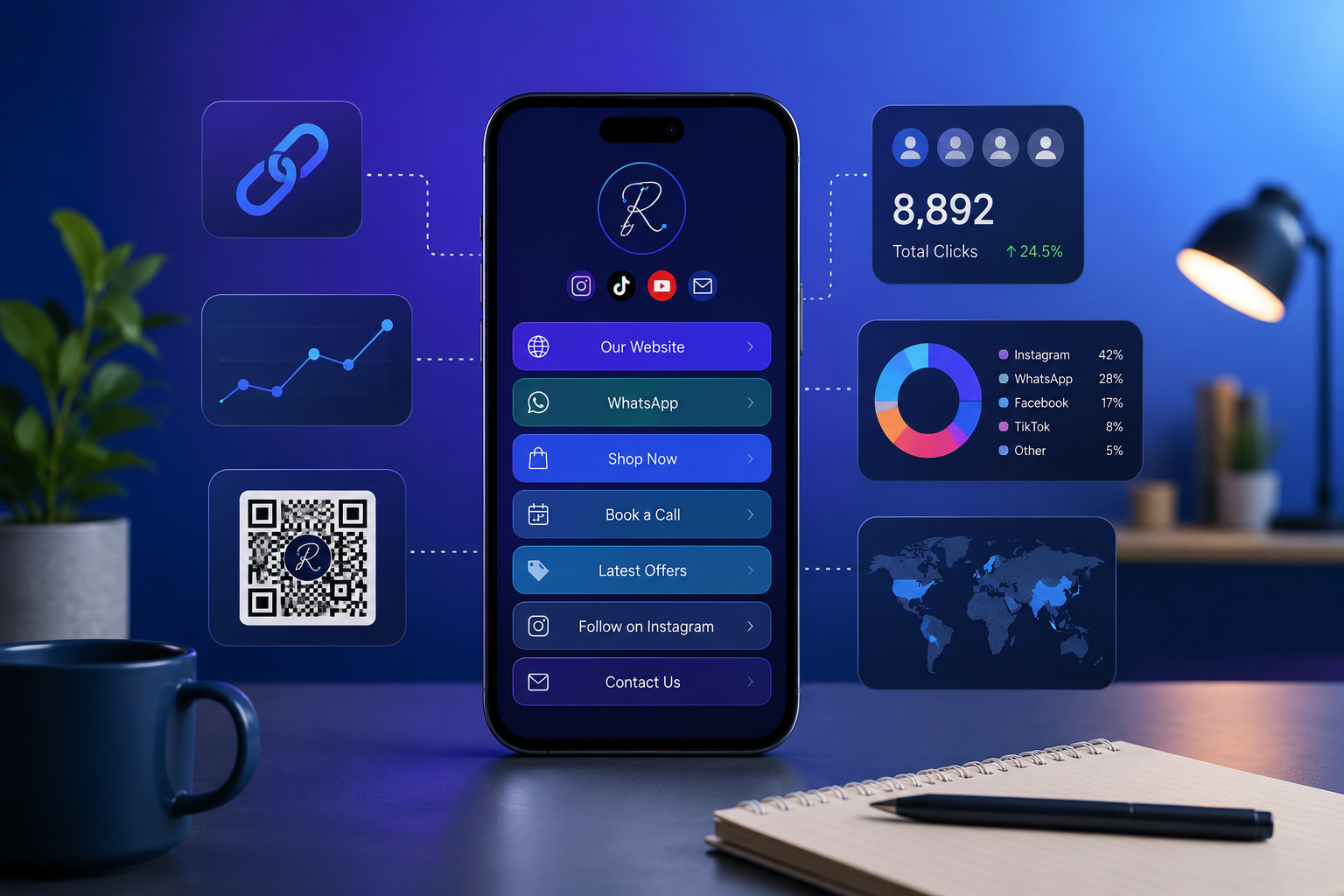
5. Analytics and Click Tracking
This is one of the most important features.
It is not enough to collect your links in a nice-looking page. You also need to know what happens inside that page.
A good tool helps you track:
- Page visits.
- Most-clicked links.
- Offer performance.
- WhatsApp engagement.
- Whether your QR Code brought visits.
- Which link needs better placement.
Analytics turn your Bio Page from a simple link list into a marketing tool.
Best URL Shortener with Analytics: How to Track Every Click and Campaign
6. Campaign Use
If you have a new offer or a seasonal campaign, you can use your Bio Page as a simple destination.
For example, a summer offer campaign can include:
- Offer details.
- WhatsApp order button.
- Selected products.
- Location.
- QR Code for the offer.
- Social media links.
Then you can track clicks to understand whether the campaign generated real interest.
WhatsApp Link Only vs Link in Bio Page
Element | WhatsApp Link Only | Link in Bio Page |
|---|---|---|
Shows business information | Limited | Yes |
Collects multiple links | No | Yes |
Suitable for offers | Limited | Yes |
Suitable for products | Usually no | Yes |
Suitable for QR Code | Limited | Excellent |
Helps customers understand quickly | Sometimes | Yes |
Looks professional | Limited | Better |
Helps track clicks | Limited | Yes, depending on the tool |
The summary:
A WhatsApp link is important, but it is not enough on its own.
A Link in Bio page gives customers a clearer view of your business and helps you measure their interest.
Create a simple Bio Page with Rbtly.
Examples of Link in Bio Use for Small Businesses
1. Instagram Store
A Bio Page can include:
- New products.
- Current offers.
- WhatsApp order button.
- Payment options.
- Customer reviews.
- Social media links.
- Location if there is a branch.
2. Restaurant or Cafe
The page can include:
- Menu.
- Offers.
- Contact number.
- WhatsApp.
- Location.
- Delivery links.
- QR Code for menu or offers.
3. Coach or Consultant
The page can include:
- Short introduction.
- Available programs.
- Booking link.
- Free content.
- Client testimonials.
- WhatsApp or contact form.
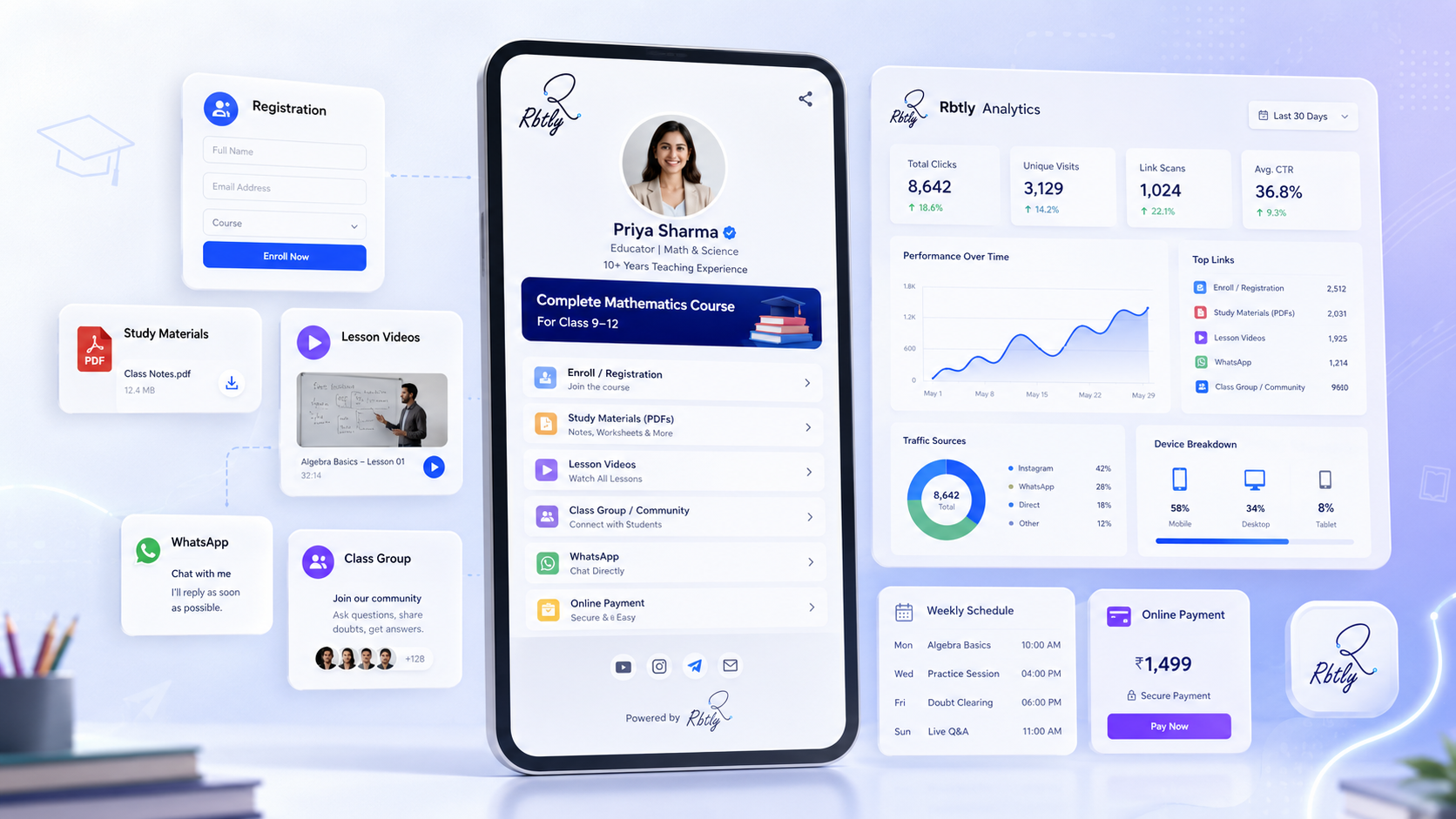
4. Teacher or Training Center
The page can include:
- Available courses.
- Registration link.
- Payment or booking link.
- WhatsApp group.
- Important files or resources.
- Start dates.
5. Freelancer or Designer
The page can include:
- Services.
- Portfolio.
- Pricing or packages.
- Client reviews.
- WhatsApp or request form.
- Behance, Instagram, or LinkedIn links.
How Rbtly Works as a Link in Bio Tool
Rbtly helps you create an organized Bio Page that brings your most important business links together in one place.
With Rbtly, you can create a page that includes:
- Product or service links.
- WhatsApp button.
- Social media links.
- Location.
- Offers.
- Landing pages.
- QR Code for the page.
- Short links.
- Click and visit analytics.
What Is a Smart Link? Normal Links vs Smart Links Explained
The key value is that Rbtly does not only help you organize your links.
It also helps you understand how those links perform.
Did people click WhatsApp?
Did they open the offer?
Did they interact with the QR Code?
Did they check the products?
Did they visit your social media links?
These insights help you improve your page and make it more effective.
Create a simple Bio Page with Rbtly.
How to Start a Link in Bio Page for Your Business
Start simple.
Do not add everything on the first day. Add only the links your customer needs most.
A good order could be:
- Short business description.
- Main offer or service.
- WhatsApp or contact button.
- Products or services.
- Location.
- Social media links.
- Customer reviews or examples.
- QR Code for the page if you use printed materials.
After that, track clicks and adjust the order based on what your audience cares about.
Common Link in Bio Page Mistakes
1. Adding Too Many Links
Too many links can confuse the customer.
Choose the most important links and organize the page based on your business goals.
2. No Clear CTA
Do not only list links.
Tell the customer what to do.
Examples:
- Order now on WhatsApp.
- View current offers.
- Open the location.
- Register for the course.
- View products.
3. Ignoring Mobile Experience
A Bio Page is usually opened from mobile, so it must be clear, fast, and easy to use.
4. Not Checking Analytics
If you do not review clicks, you lose one of the biggest benefits.
Analytics help you understand what your audience cares about and what needs improvement.
Can a Link in Bio Page Replace a Website?
At the beginning, yes, it can be enough for many small businesses.
But it is not a full replacement for a website in every case.
If your business needs strong SEO, many pages, an online store, booking system, or a large amount of content, you may need a full website later.
But if your current goal is to organize your links, show your services, receive WhatsApp orders, and share one clear link on social media, a Link in Bio page can be the best starting point.
Bio Page vs Website: What Is the Difference and Which One Should You Choose?
Create a simple Bio Page with Rbtly.
Conclusion
The best Link in Bio tool for small businesses is not only the one that gives you a nice-looking page.
The best tool helps you:
- Collect your links in one place.
- Make the customer journey easier.
- Show your products or services clearly.
- Add WhatsApp, location, and social media links.
- Use a QR Code for the page.
- Track clicks and understand audience interest.
With Rbtly, you can create an organized Bio Page that collects your business links and helps you understand what your audience clicks.
Start with one simple page and let every click help you understand your customer better.
FAQ
What is a Link in Bio tool?
A Link in Bio tool helps you create one page that collects your most important links, such as WhatsApp, products, offers, location, and social media.
Is Link in Bio useful for small businesses?
Yes. It is very useful because it helps small businesses look organized without needing a full website at the beginning.
What should I add to my Link in Bio page?
Add the most important things your customer needs: short description, products or services, WhatsApp button, offers, location, social media links, and customer reviews.
Can I use a QR Code with a Link in Bio page?
Yes. You can place a QR Code on a business card, flyer, or menu, so it opens a Bio Page that collects all important links.
Can Rbtly help me track clicks?
Yes. Rbtly helps you track clicks and understand what your audience is interested in inside your page.
Can a Link in Bio page replace a website?
It may be enough at the beginning for small businesses, but it does not fully replace a website if you need strong SEO, an online store, or a complete system.