How to Use QR Codes on Flyers and Track Results: 8 Smart Tips
How to Use QR Codes on Flyers and Track Results is an important question for any business that prints flyers and wants to know if people actually take action.
Flyers can still work for restaurants, clinics, gyms, events, courses, real estate, local stores, and service businesses. But the problem is that printed flyers are often difficult to measure.
That is why learning How to Use QR Codes on Flyers and Track Results matters. With Rbtly, you can create trackable QR Codes, add them to flyers, measure scans, update destinations, and understand whether your offline campaign brought real engagement.
Create a trackable QR Code for your flyer with Rbtly
Table of Contents
- What does it mean to use QR Codes on flyers and track results?
- Why flyers need QR Code tracking
- How to Use QR Codes on Flyers and Track Results
- Best destinations for flyer QR Codes
- What should you track from flyer QR Codes?
- Common mistakes when using QR Codes on flyers
- Why use Rbtly for flyer QR Code tracking?
- Flyer QR Code checklist
- FAQ
What does it mean to use QR Codes on flyers and track results?
Using QR Codes on flyers means adding a scannable code to your printed flyer so people can open a digital destination quickly from their phone.
That destination could be a landing page, WhatsApp link, Bio Page, menu, offer page, product page, booking page, registration form, or payment page.
But using a QR Code is only the first step.
The real value comes when you can track the results.
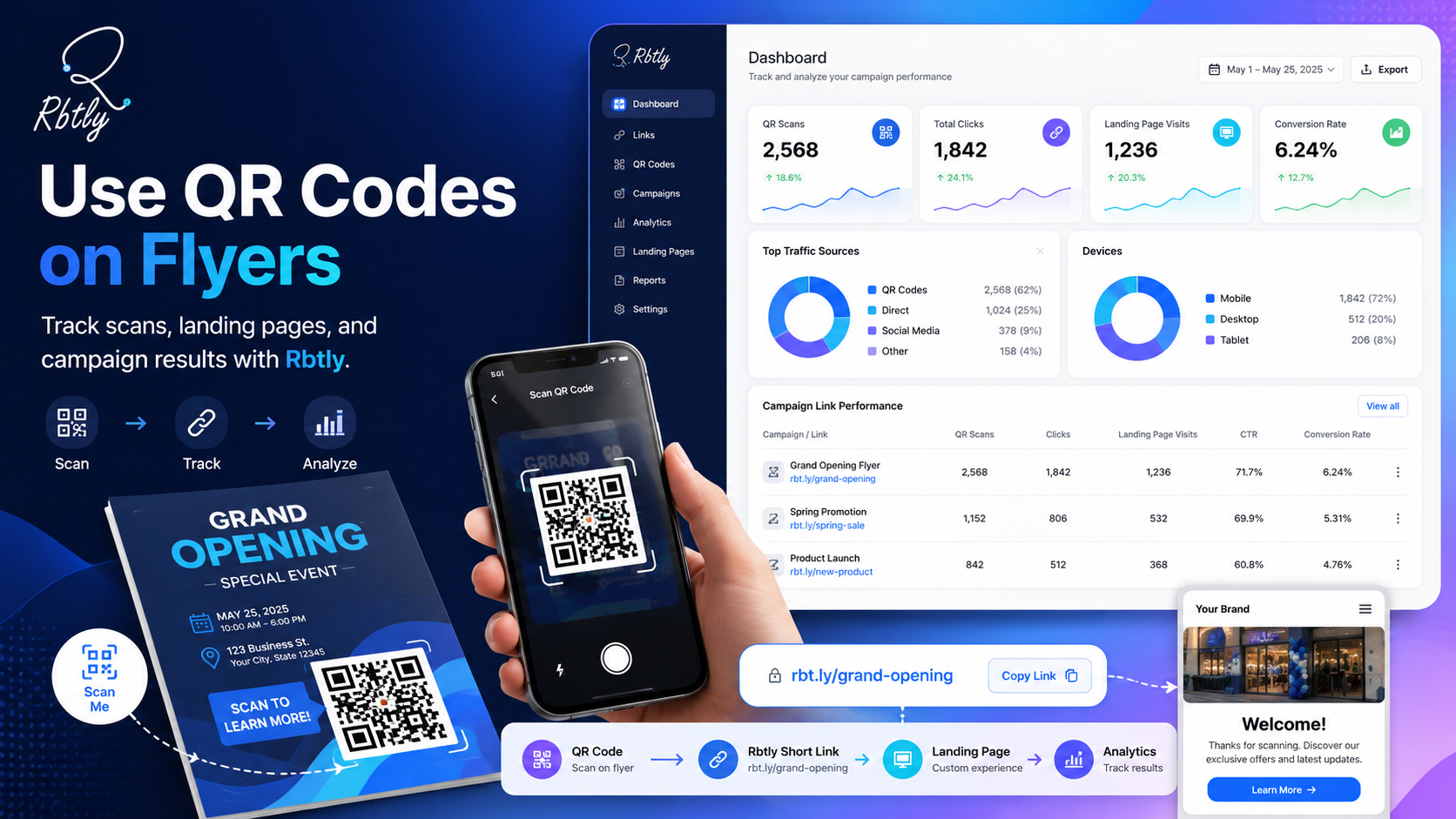
When you know How to Use QR Codes on Flyers and Track Results, you can measure how many people scanned the code, which flyer version performed better, and whether the campaign created real interest.
This turns your flyer from a static printed material into a measurable marketing asset.
Why flyers need QR Code tracking
Flyers are often used for local campaigns, promotions, events, restaurant offers, course registrations, real estate listings, clinics, gyms, and retail promotions.
They can be useful, but without tracking, it is hard to know if they worked.
You may print 1,000 flyers and distribute them in different places, but without data, you may not know:
- How many people scanned the QR Code.
- Which flyer version performed better.
- Which location generated more scans.
- Which offer attracted more attention.
- Whether people clicked after scanning.
- Whether the flyer led to WhatsApp messages, signups, bookings, or sales.
This is why QR Code tracking is useful.
It helps you measure flyer performance instead of depending only on assumptions.
How to Use QR Codes on Flyers and Track Results
Here is How to Use QR Codes on Flyers and Track Results in a simple and practical way.
1. Choose one clear goal for the flyer
Before creating the QR Code, decide what you want people to do after scanning it.
A flyer should not send users to a confusing destination.
Choose one clear goal, such as:
- Open a WhatsApp chat.
- View a special offer.
- Register for an event.
- Book an appointment.
- Open a restaurant menu.
- Visit a Bio Page.
- Download a file.
- View a product page.
The clearer the goal, the easier it is to measure the flyer results.
2. Create a trackable QR Code
Do not use a basic QR Code if you want campaign data.
Use a trackable QR Code that can help you measure scans and clicks.
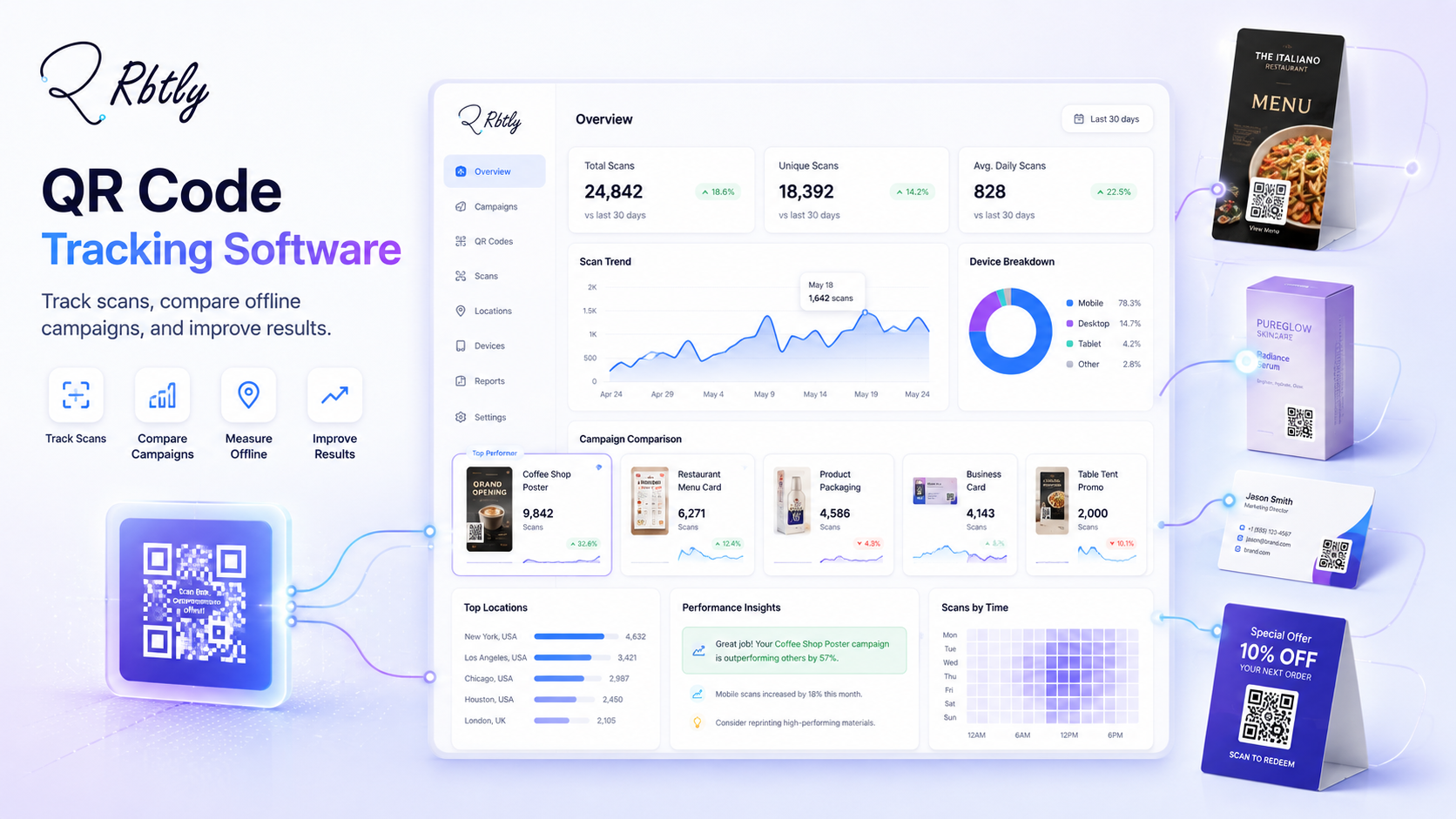
With Rbtly, you can create QR Codes and connect them with analytics, so you can understand how people interact with your flyer.
This is one of the most important steps when learning How to Use QR Codes on Flyers and Track Results.
Explore Rbtly QR Codes here: Rbtly QR Codes.
3. Use a Dynamic QR Code when the destination may change
Flyer campaigns may change over time.
You may need to change the offer, update a landing page, fix a link, replace a form, or send people to a different WhatsApp link.
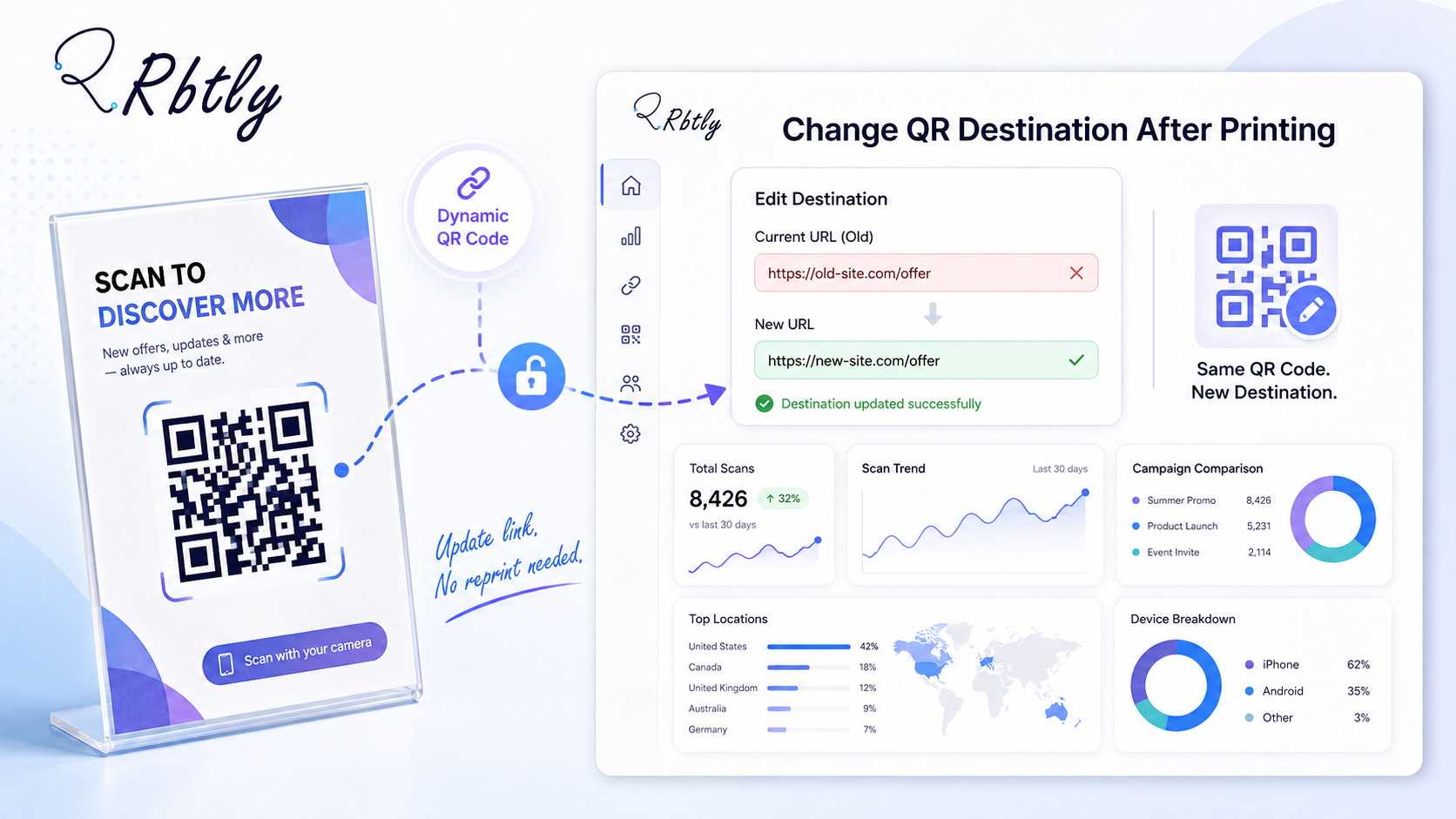
With Rbtly Dynamic QR Codes, you can update the destination link later without changing the printed QR Code shape.
This is useful because you can keep the same printed flyer while changing the destination behind the QR Code when needed.
You can learn more here: How to Change a QR Code Destination After Printing.
4. Place the QR Code clearly on the flyer
The QR Code should be easy to see and easy to scan.
Do not hide it in a crowded area of the design.
Place it near a clear call to action, such as:
- Scan to get the offer.
- Scan to book now.
- Scan to view the menu.
- Scan to register.
- Scan to message us on WhatsApp.
A QR Code without a clear reason to scan may get fewer results.
The user should understand what will happen after scanning.
5. Send users to a mobile-friendly destination
Most QR Code scans happen on mobile phones.
That means your destination page must work well on mobile.
A good flyer QR Code destination should be:
- Fast to load.
- Easy to read.
- Simple to understand.
- Focused on one action.
- Designed for mobile screens.
- Connected to a clear CTA.
If users scan your QR Code and land on a confusing page, they may leave quickly.
For many businesses, a simple Bio Page can be a good destination because it collects multiple links in one mobile-friendly page.
Explore Rbtly Bio Pages here: Rbtly Bio Pages.
6. Create different QR Codes for different flyer versions
If you print more than one flyer version, do not use the same QR Code on all versions.
Create a separate QR Code for each version so you can compare performance.
For example:
- Flyer Version A: Discount offer.
- Flyer Version B: Free consultation.
- Flyer Version C: WhatsApp booking.
- Flyer Version D: Event registration.
This helps you understand which flyer message works better.
7. Create different QR Codes for different locations
If you distribute flyers in different locations, create different QR Codes for each area.
For example, you can create one QR Code for a mall campaign, one for a university campaign, one for a local street distribution, and one for an event.
This helps you measure which location brings more scans.
Location-based tracking can help you decide where to distribute future flyers.
8. Review the results and improve the next campaign
Tracking is only useful if you use the results.
After your flyer campaign runs, review the data.
Ask questions like:
- How many scans did the flyer get?
- Which flyer version got more scans?
- Which location performed better?
- Did people click after scanning?
- Did the campaign lead to messages, signups, or bookings?
- Should we repeat the same flyer or improve the offer?
This is how QR Code tracking helps improve future campaigns.
Best destinations for flyer QR Codes
When thinking about How to Use QR Codes on Flyers and Track Results, the destination is just as important as the QR Code itself.
Landing page
A landing page is useful when the flyer promotes one clear offer.
The page should explain the offer and include one main CTA.
WhatsApp link
A WhatsApp link is useful when the goal is to start a conversation, receive orders, answer questions, or book appointments.
You can create trackable WhatsApp links with Rbtly to understand which flyer generated clicks.
You can read more here: How to Track WhatsApp Link Clicks.
Bio Page
A Bio Page is useful when you need to share multiple links from one QR Code.
For example, a Bio Page can include WhatsApp, offers, products, social links, location, booking links, and payment links.
Menu page
Restaurants and cafes can use flyers to send people to a menu, delivery link, or special offer.
You can also read: QR Code Menu for Restaurants and Cafes.
Registration form
Events, courses, workshops, webinars, and classes can use flyer QR Codes to send people to a registration form.
Product or offer page
Retail businesses can send users to a product page, discount page, or limited-time promotion.
What should you track from flyer QR Codes?
To measure flyer performance, you need more than the number of printed copies.
Useful metrics include:
- Number of QR Code scans.
- Number of clicks after scanning.
- Flyer version.
- Distribution location.
- Device type.
- Country or location data when available.
- Time and date of scans.
- Landing page clicks.
- WhatsApp link clicks.
- Signups, bookings, messages, or sales when available.
The goal is not only to know if people scanned the QR Code.
The goal is to understand whether the flyer helped users take the next step.
You can also use structured campaign parameters with Google Campaign URL Builder when you need additional campaign tracking.
Common mistakes when using QR Codes on flyers
Even if you know How to Use QR Codes on Flyers and Track Results, some mistakes can reduce performance.
Using a QR Code without a CTA
Do not place a QR Code on a flyer without telling people why they should scan it.
Add a short CTA near the QR Code.
Sending users to a slow or confusing page
The destination page must be clear and mobile-friendly.
If the page is slow or confusing, users may leave quickly.
Using one QR Code for every flyer
If you use the same QR Code across every flyer version and location, you will not know which one performed better.
Not testing before printing
Always test your QR Code before printing.
Test it with different phones and make sure it opens the correct destination.
Not reviewing results
Tracking only matters if you review the data and improve future campaigns.
Do not wait until the end of the month if the campaign is active now.
Why use Rbtly for flyer QR Code tracking?
Rbtly helps you create trackable QR Codes for flyers and measure campaign performance.
If you want to understand How to Use QR Codes on Flyers and Track Results, Rbtly gives you the tools to create, manage, and track your QR Code campaigns.
With Rbtly, you can:
- Create QR Codes for flyers.
- Create Dynamic QR Codes.
- Update QR Code destinations later.
- Keep the same printed QR Code shape after updating.
- Track QR Code scans.
- Connect QR Codes with short links.
- Send users to Bio Pages, WhatsApp links, landing pages, or offers.
- Compare different flyer campaigns.
- Use analytics to improve future marketing decisions.
Rbtly helps turn printed flyers into measurable marketing assets.
You can also learn more about creating helpful pages for users from Google Search Central.
Flyer QR Code checklist
Use this checklist before printing your flyer.
- Choose one clear goal for the flyer.
- Create a trackable QR Code.
- Use a Dynamic QR Code if the destination may change.
- Add a clear CTA near the QR Code.
- Make sure the QR Code is easy to scan.
- Send users to a mobile-friendly destination.
- Create separate QR Codes for different flyer versions.
- Create separate QR Codes for different distribution locations.
- Test the QR Code before printing.
- Review scans, clicks, and results after distribution.
This checklist helps you avoid common mistakes and improve flyer performance.
Final thoughts
How to Use QR Codes on Flyers and Track Results is simple when you treat the flyer as part of a measurable campaign.
Do not add a QR Code only because it looks modern.
Add a QR Code because it helps people take action and helps you measure that action.
With Rbtly, you can create trackable QR Codes, update destinations, connect QR Codes with Bio Pages or WhatsApp links, and understand how your flyers perform.
If your business prints flyers, QR Code tracking can help you make better decisions and improve every campaign.
Create a trackable flyer QR Code with Rbtly
FAQ
How to Use QR Codes on Flyers and Track Results?
You can use QR Codes on flyers by creating a trackable QR Code, placing it clearly on the flyer with a strong CTA, sending users to a mobile-friendly destination, and reviewing scans, clicks, and campaign results.
Why should I add a QR Code to a flyer?
A QR Code makes it easier for people to take action from a printed flyer. It can send them to a landing page, WhatsApp link, Bio Page, menu, form, offer, or product page.
Can I track QR Code scans from flyers?
Yes. With Rbtly, you can create trackable QR Codes and measure scans and clicks from flyer campaigns.
Can I change the QR Code destination after printing flyers?
Yes. With Rbtly Dynamic QR Codes, you can update the destination link later without changing the printed QR Code shape.
Where should I place a QR Code on a flyer?
Place the QR Code in a clear, visible area near a short CTA. Make sure it is not too small and not placed in a crowded part of the design.
What should a flyer QR Code link to?
A flyer QR Code can link to a landing page, WhatsApp link, Bio Page, menu, registration form, booking page, product page, payment link, or special offer.
Should I use the same QR Code for all flyers?
If you want to compare performance, use different QR Codes for different flyer versions, locations, or campaigns.
Is a Dynamic QR Code better for flyers?
Yes, a Dynamic QR Code is usually better for flyers because you can update the destination later and track campaign performance without changing the printed QR Code shape.