One Page for Your Business: 8 Smart Reasons a Bio Page Is Enough
One Page for Your Business can be enough when you need a simple, organized, and mobile-friendly place to share your most important links without building a full website.
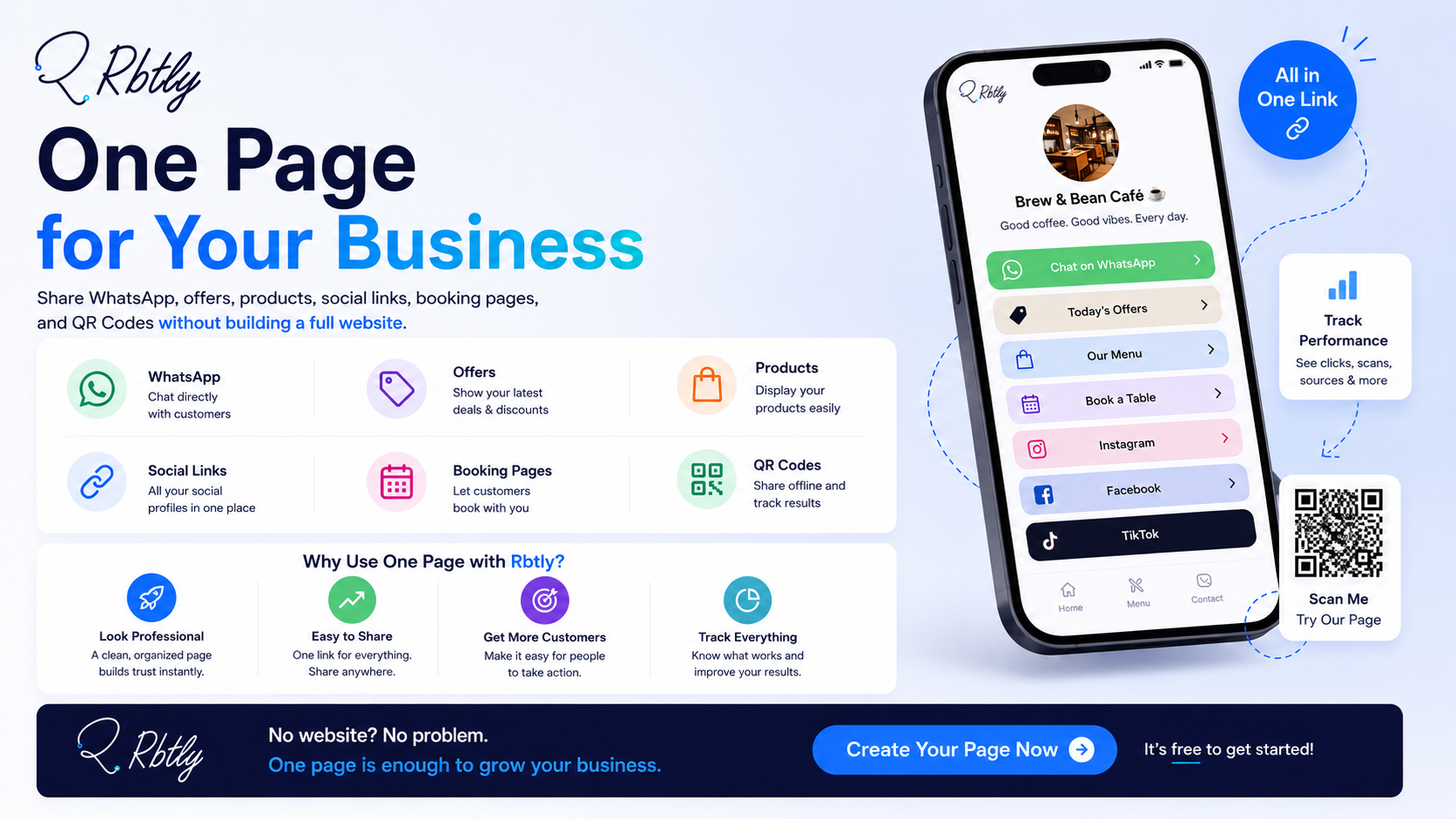
Many small businesses think they need a complete website from day one. But in many cases, customers only need a few clear actions: message you on WhatsApp, view your products, check your offers, book a service, find your location, or follow your social media pages.
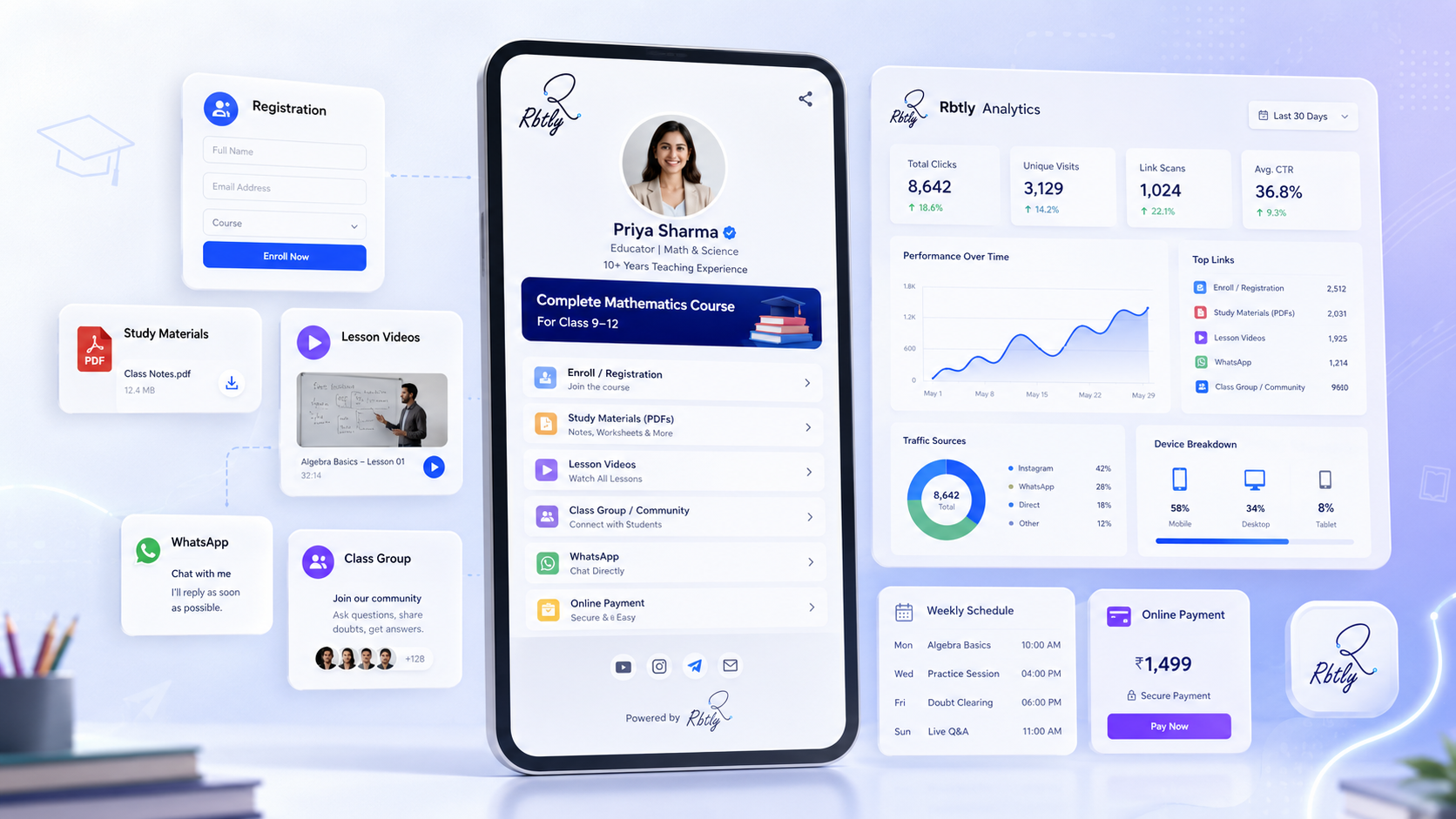
That is why creating One Page for Your Business with Rbtly can be a practical first step. With a Bio Page, you can collect your important links in one place, share it on social media, connect it with QR Codes, and track clicks from your audience.
Create one page for your business with Rbtly
Table of Contents
- What does One Page for Your Business mean?
- Bio Page vs full website
- 8 smart reasons One Page for Your Business may be enough
- What should you add to your business page?
- Who can use One Page for Your Business?
- Common mistakes to avoid
- Why use Rbtly to create One Page for Your Business?
- One Page for Your Business checklist
- FAQ
What does One Page for Your Business mean?
One Page for Your Business means creating one simple page that collects your most important business links, contact options, offers, and actions in one place.
Instead of building a full website with many pages, you can create a focused Bio Page that helps customers take the next step quickly.
This page can include links to WhatsApp, products, offers, booking pages, payment links, forms, social media profiles, location, videos, menus, and customer reviews.
For many small businesses, this is enough to start.
A Bio Page is especially useful when your customers usually come from Instagram, TikTok, Facebook, WhatsApp, QR Codes, business cards, flyers, or local campaigns.
The goal is not to replace every website forever. The goal is to create a simple page that helps people find what they need now.
Bio Page vs full website
A Bio Page and a full website are not the same thing.
A website is better when you need many pages, advanced SEO, a full online store, a blog, complex booking flows, customer accounts, or detailed service pages.
But a Bio Page can be better when you need speed, simplicity, and one clear destination for your audience.
Need | Bio Page | Full Website |
|---|---|---|
Fast setup | Yes | Usually takes longer |
Multiple simple links | Yes | Yes |
Full SEO structure | Limited | Stronger |
Simple social media destination | Yes | Sometimes |
Advanced pages and features | Limited | Yes |
QR Code destination | Yes | Yes |
If your business is still starting, or if your audience mainly needs quick access to important links, One Page for Your Business can be enough for the current stage.
You can also read: Bio Page vs Website: What Is the Difference and Which One Should You Choose?.
8 smart reasons One Page for Your Business may be enough
One Page for Your Business can be a practical solution when your main goal is to make customer actions easier.
1. You want to launch quickly
A full website may take time to plan, design, write, develop, and publish.
But many small businesses need something faster.
A Bio Page can help you go live quickly with your most important links.
This is useful for new businesses, small campaigns, course launches, seasonal offers, events, and service providers who need a simple online presence.
2. Your customers mainly contact you on WhatsApp
Many small businesses depend on WhatsApp for orders, bookings, questions, and customer support.
If WhatsApp is your main conversion channel, your page should make it easy for users to message you.
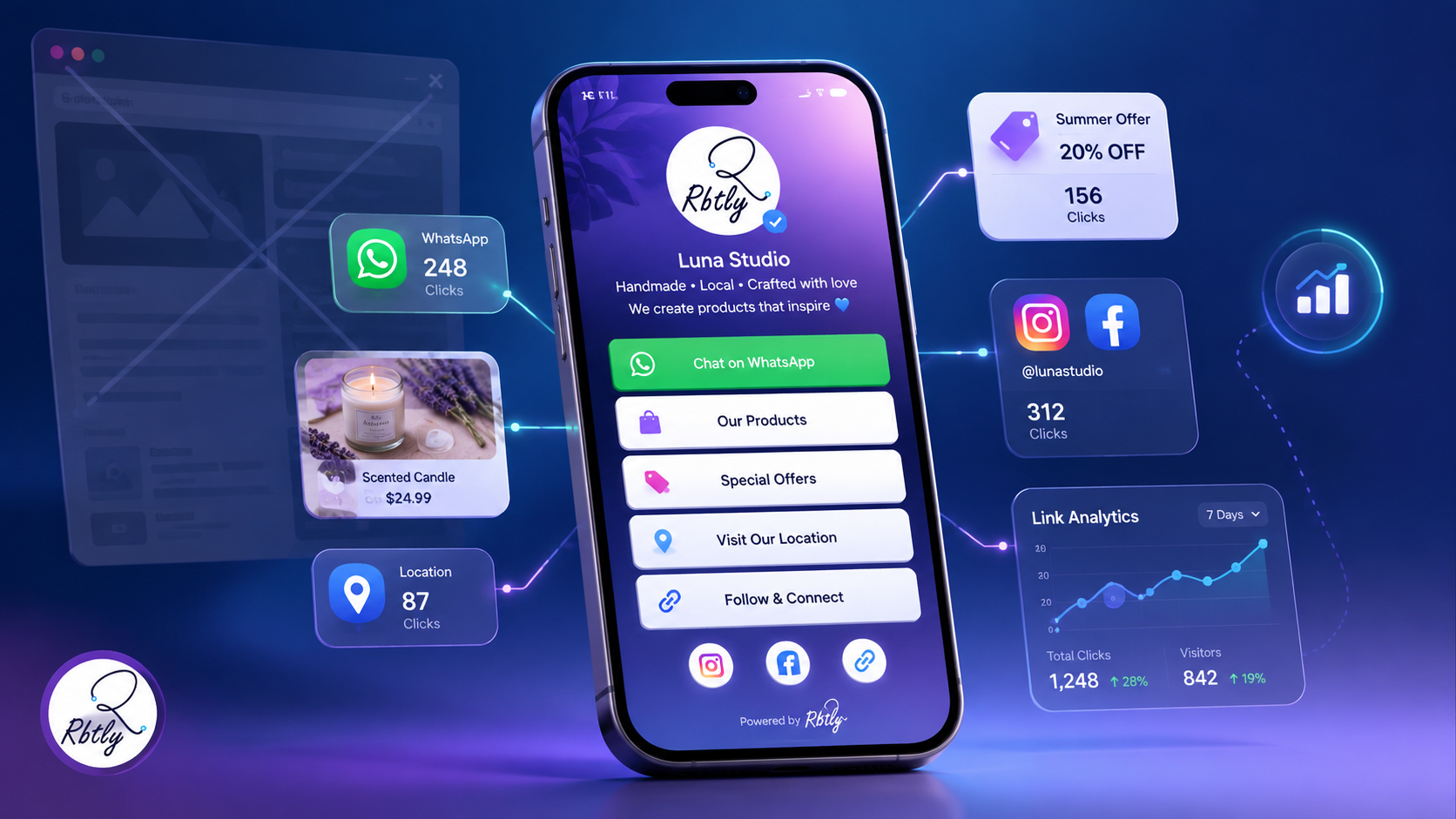
With Rbtly, you can add a WhatsApp link to your Bio Page and use trackable links to understand click activity.
You can also read: How to Track WhatsApp Link Clicks.
3. You need one link for social media
Social media profiles often allow limited link space.
If you have one profile link but many destinations, a Bio Page can solve the problem.
You can add one link to Instagram, TikTok, Facebook, or your creator profile, then use that page to organize your most important actions.
This makes One Page for Your Business useful for social media marketing.
4. You want to collect multiple links in one place
A business may need to share many links at the same time.
For example:
- WhatsApp contact link.
- Instagram profile.
- Facebook page.
- Product catalog.
- Special offer.
- Booking form.
- Payment link.
- Location map.
- Customer reviews.
Instead of sending people many separate links, you can collect them inside one Bio Page.
5. You want a simple destination for QR Codes
QR Codes are useful on flyers, menus, posters, packaging, business cards, table cards, and printed campaigns.
But sending people to one fixed link is not always enough.
A Bio Page can be a better QR Code destination because it gives users multiple useful options after scanning.
For example, a QR Code on a business card can open a Bio Page with WhatsApp, portfolio, booking, LinkedIn, and email links.
Explore Rbtly QR Codes here: Rbtly QR Codes.
6. You do not need a full website yet
Not every business needs a full website immediately.
If your current goal is to share contact options, offers, products, social links, and booking links, a Bio Page may be enough.
You can start with one page now and build a full website later when you need more structure.
This makes One Page for Your Business a smart first step for early-stage businesses.
7. You want to track link clicks
A Bio Page becomes more useful when it includes analytics.
If you know which buttons get clicks, you can understand what your audience cares about.
For example, if WhatsApp gets more clicks than products, your audience may prefer asking questions before buying.
If your offer button gets low clicks, you may need to improve the offer or button text.
You can read more here: Link Analytics Explained: What to Measure Beyond Clicks.
8. You want to manage links more easily
When your links are scattered across messages, captions, files, and old posts, they become hard to manage.
A Bio Page gives your audience one destination and gives your business a cleaner way to organize links.
This is useful for small teams, freelancers, teachers, restaurants, service providers, agencies, and creators.
What should you add to your business page?
If you create One Page for Your Business, keep it focused and easy to use.
Add only the links that help users take action.
WhatsApp link
Add WhatsApp if customers usually contact you there.
Use a clear button such as “Message us on WhatsApp” or “Book through WhatsApp.”
Products or services
Add links to your main products, services, packages, or offers.
Keep the wording simple so users know what they will open.
Booking or registration
If you offer appointments, classes, consultations, courses, or events, add a booking or registration link.
Location
If your business has a physical location, add a map link.
This is useful for restaurants, clinics, salons, gyms, academies, and stores.
Social media links
Add the platforms that matter most to your audience.
Do not add every platform unless it is useful.
Payment link
If payment links are part of your sales process, add them clearly.
Make sure users understand what they are paying for.
Offer or campaign link
If you are running a campaign, add a specific button for the offer.
Track this button separately when possible.
Who can use One Page for Your Business?
One Page for Your Business can help many types of businesses and creators.
Small businesses
Small businesses can use a Bio Page to collect contact links, offers, products, social media, and location in one place.
Restaurants and cafes
Restaurants can include menu links, delivery links, WhatsApp ordering, offers, reviews, and location.
Teachers and course creators
Teachers can use one page for registration links, class files, WhatsApp groups, schedules, payment links, and course information.
Freelancers and consultants
Freelancers can share portfolios, booking links, service pages, testimonials, WhatsApp, and social media profiles.
Agencies
Agencies can use Bio Pages for campaigns, client resources, lead forms, portfolio links, and service pages.
Print shops
Print shops can create QR Codes that send users to client Bio Pages, menus, offers, or contact pages.
Creators and personal brands
Creators can collect content, community links, products, collaboration links, and social media in one page.
Common mistakes to avoid
A Bio Page should make things easier, not more confusing.
Adding too many links
Do not add every possible link.
Focus on the actions that matter most.
Using unclear button text
Button text should explain the action.
Instead of “Click here,” use “Message us on WhatsApp” or “View current offers.”
Ignoring mobile experience
Most users will open your page on mobile.
Make sure the page is simple, clear, and easy to scan.
Not updating old links
If an offer ends or a link changes, update the Bio Page quickly.
Old links can reduce trust.
Not tracking clicks
If you do not track clicks, you may not know which buttons are useful.
Tracking helps you improve the page over time.
Why use Rbtly to create One Page for Your Business?
Rbtly helps you create a simple Bio Page and connect it with your wider link management system.
This makes Rbtly useful if you want One Page for Your Business that can work with QR Codes, short links, WhatsApp links, and analytics.
With Rbtly, you can:
- Create a Bio Page for your business.
- Add WhatsApp, products, offers, booking links, forms, and social media.
- Create short links for campaigns.
- Create QR Codes that open your Bio Page.
- Use Dynamic QR Codes for printed materials.
- Track link clicks.
- Track QR Code scans.
- Organize important links in one place.
Explore Rbtly Bio Pages here: Rbtly Bio Pages.
You can also learn more about creating helpful digital experiences from Google Search Central.
One Page for Your Business checklist
Use this checklist before publishing your business page.
- Choose one main goal for the page.
- Add your WhatsApp link if it is important.
- Add your main products or services.
- Add booking or registration links if needed.
- Add your location if customers visit you offline.
- Add only the social media links that matter.
- Use clear button text.
- Make sure all links work.
- Connect the page with QR Codes if you use printed materials.
- Track link clicks and improve the page over time.
This checklist helps you build a page that is simple, useful, and focused on action.
Final thoughts
One Page for Your Business can be enough when your audience needs quick access to your most important links.
You may not need a full website immediately if your current goal is to share WhatsApp, offers, products, booking links, social media, location, and QR Code destinations.
A Bio Page gives you a simple way to organize these links and make them easier to share.
With Rbtly, you can create a Bio Page, connect it with QR Codes, track clicks, and manage your business links from one platform.
If you want a simple digital starting point for your business, a Bio Page can be a smart first step.
Create one page for your business with Rbtly
FAQ
What does One Page for Your Business mean?
One Page for Your Business means creating one simple page that includes your most important links, such as WhatsApp, offers, products, booking pages, social media, location, and contact options.
Is one page enough for a small business?
One page can be enough if your business mainly needs to share contact links, offers, products, booking options, and social media. A full website may be needed later for more advanced needs.
What is the difference between a Bio Page and a website?
A Bio Page is a simple page for important links and actions. A website usually includes more pages, deeper content, stronger SEO structure, and advanced features.
Can I use a Bio Page instead of a website?
Yes, if your current goal is simple. A Bio Page can work as a practical first step before building a full website.
Can I add WhatsApp to my business page?
Yes. You can add a WhatsApp link to your Rbtly Bio Page so customers can message you quickly.
Can I use QR Codes with one business page?
Yes. You can create a QR Code that sends people to your Bio Page from flyers, business cards, menus, posters, packaging, or printed campaigns.
Can I track clicks on my business page?
Yes. With Rbtly, you can track link clicks and understand which buttons or links get more engagement.
Who should create One Page for Your Business?
Small businesses, restaurants, teachers, course creators, freelancers, consultants, agencies, creators, and local service providers can all benefit from creating one simple business page.